
How to connect a personal Telegram account to Kommo
Use AnyLinga to connect an employee's personal Telegram account to Kommo. The connection uses Telegram Business and an assistant bot. You do not need to enter a phone number or login code in AnyLinga.
This option supports personal chats only. To connect a bot or groups, see the Telegram bot guide.
What you'll need
- Access to AnyLinga and your Kommo account.
- Telegram Premium for the account owner. The connection uses Telegram Business.
- Access to Telegram on the account owner's phone.
Where to start
1. Open the channel list
- Go to Channels and open the Direct tab.
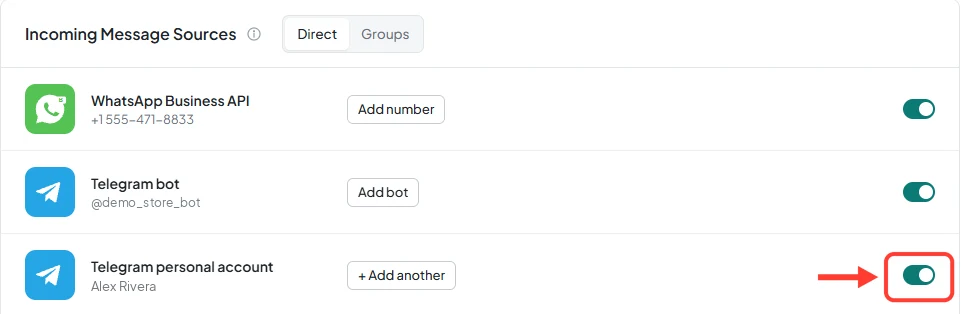
- Find Telegram personal account under Incoming Message Sources.
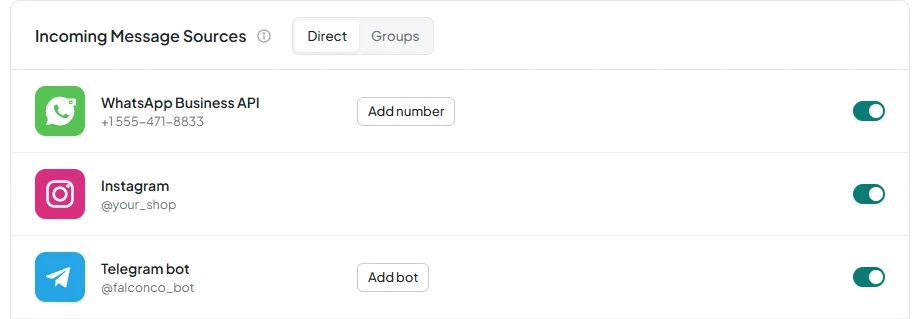
How to connect a personal Telegram account
2. Get a setup link for the account owner
- On the Channels page, turn on the toggle in the Telegram personal account row.
- In the Setup link ready window, click Copy and send the link to the person whose account you are connecting. They must open it in Telegram on their phone.
- If you are connecting your own account, use Open link.
- To connect additional accounts, click + Add another.
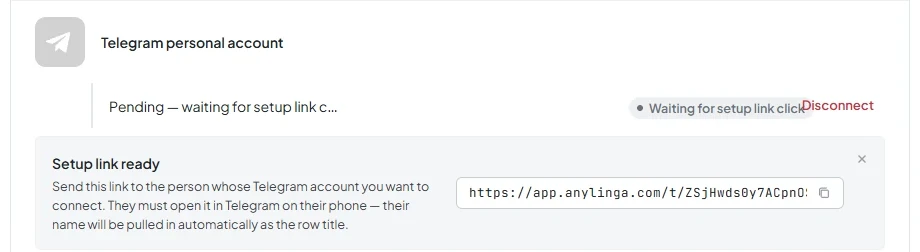
3. Create an assistant bot
- Ask the account owner to follow the link and tap Open in Telegram.
- In Telegram, tap Start, then Create assistant bot.
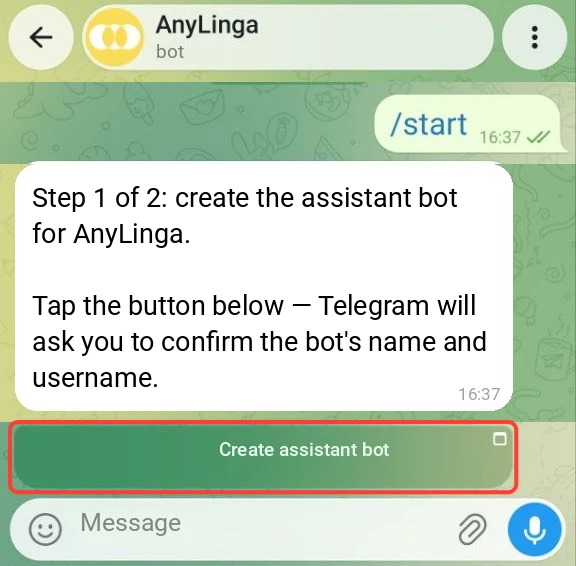
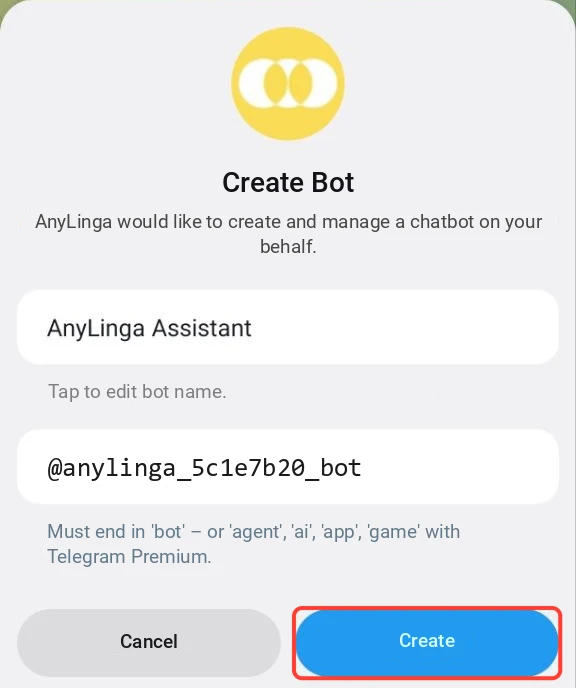
4. Enable assistant mode in @BotFather
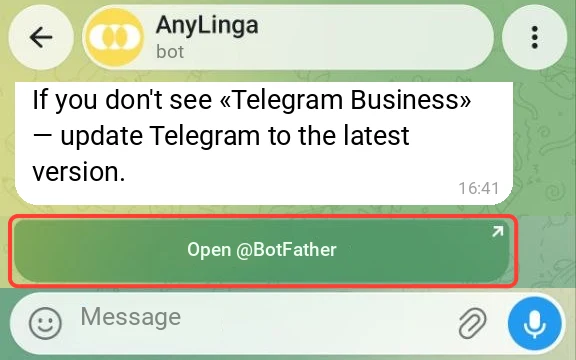
- The account owner must send the /mybots command to @BotFather and select the bot they created.
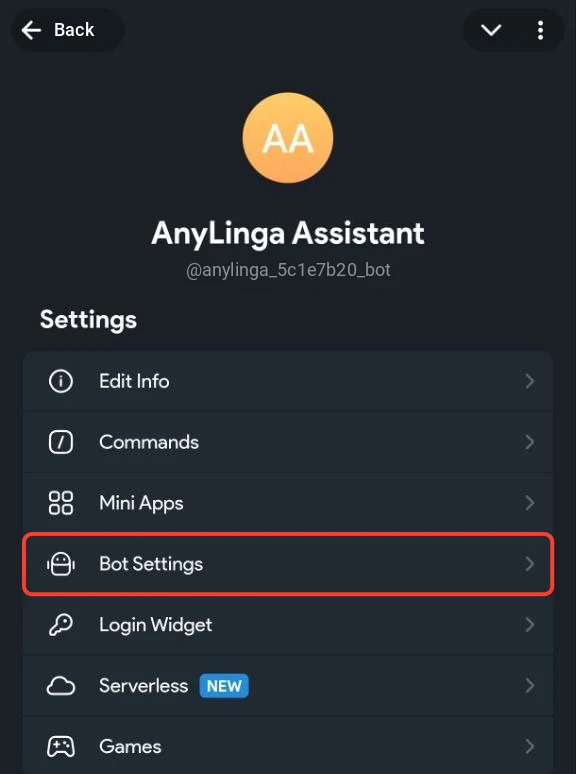
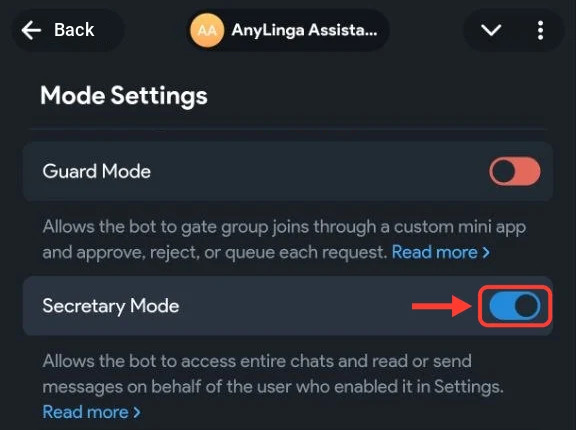
- Then open Bot Settings → Secretary Mode and select Turn on.
5. Add the bot to Telegram Business
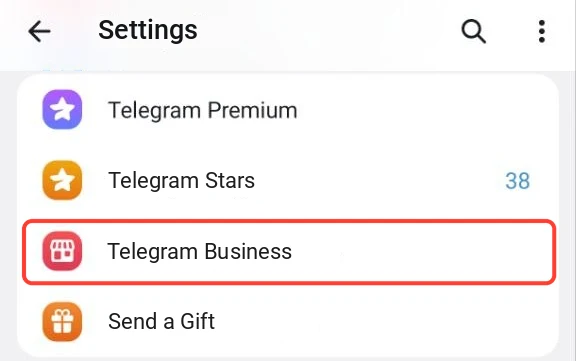
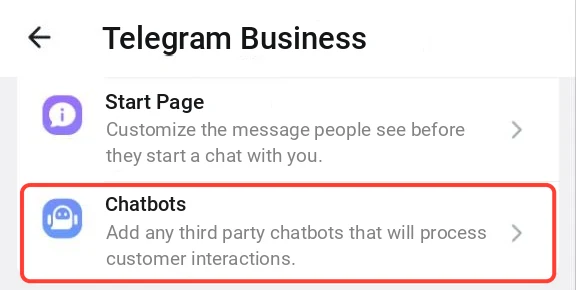
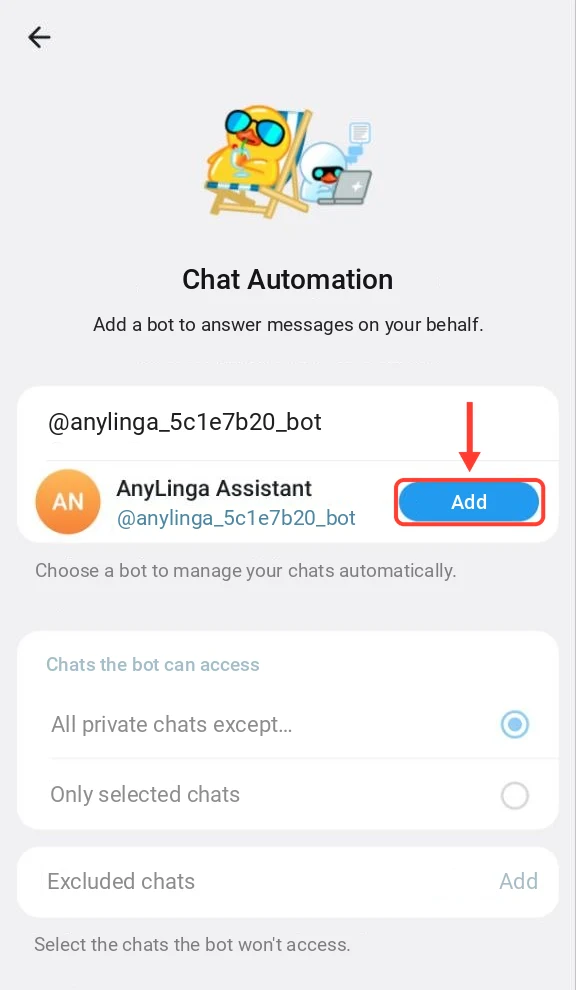
- On the account owner's phone, open Telegram → Settings → Telegram Business → Chatbots.
- First, enable All Chats and Reply on Your Behalf.
- Then add the assistant bot.
6. Check the statuses and new chat settings
- In your AnyLinga account, track these stages: Waiting for setup link click → Waiting for assistant bot creation → Bot ready — waiting for Business Connection.
- Check the Distribute new chats among managers setting.
- To disconnect the account, turn off the toggle and confirm in the Disconnect personal Telegram? window.
Personal account limitations
This option supports personal chats only, not groups. Groups can only be connected through a Telegram bot, not a personal account.
Reactions in Business chats are not supported.
What happens after connection
Chats arrive in Kommo from the AnyLinga source through the Telegram channel. The pipeline, stage, and responsible manager are set in Processing Rules. See where chats and deals go for details.
Get in touch
We reply during business hours.
New to AnyLinga?
Try it yourself, or we'll set it up for you when you pay for the first month.