
How to build a broadcast audience from Zoho records
In Zoho CRM, select the records you need and click Create broadcast audience above the table. AnyLinga will collect their phone numbers into a group in Audiences and open its details. From there, you can go straight to creating a broadcast.
What you'll need
- Records in the Contacts, Leads, or Deals list in Zoho CRM.
- A number in the Mobile or Phone field for at least one selected record.
- If you select deals, contacts linked to those deals with phone numbers.
Select records and create an audience
1. Select the records you need
- In Zoho, open the Contacts, Leads, or Deals list.
- Select the records you need using the checkboxes.
2. Create an audience
- Click Create broadcast audience above the table.
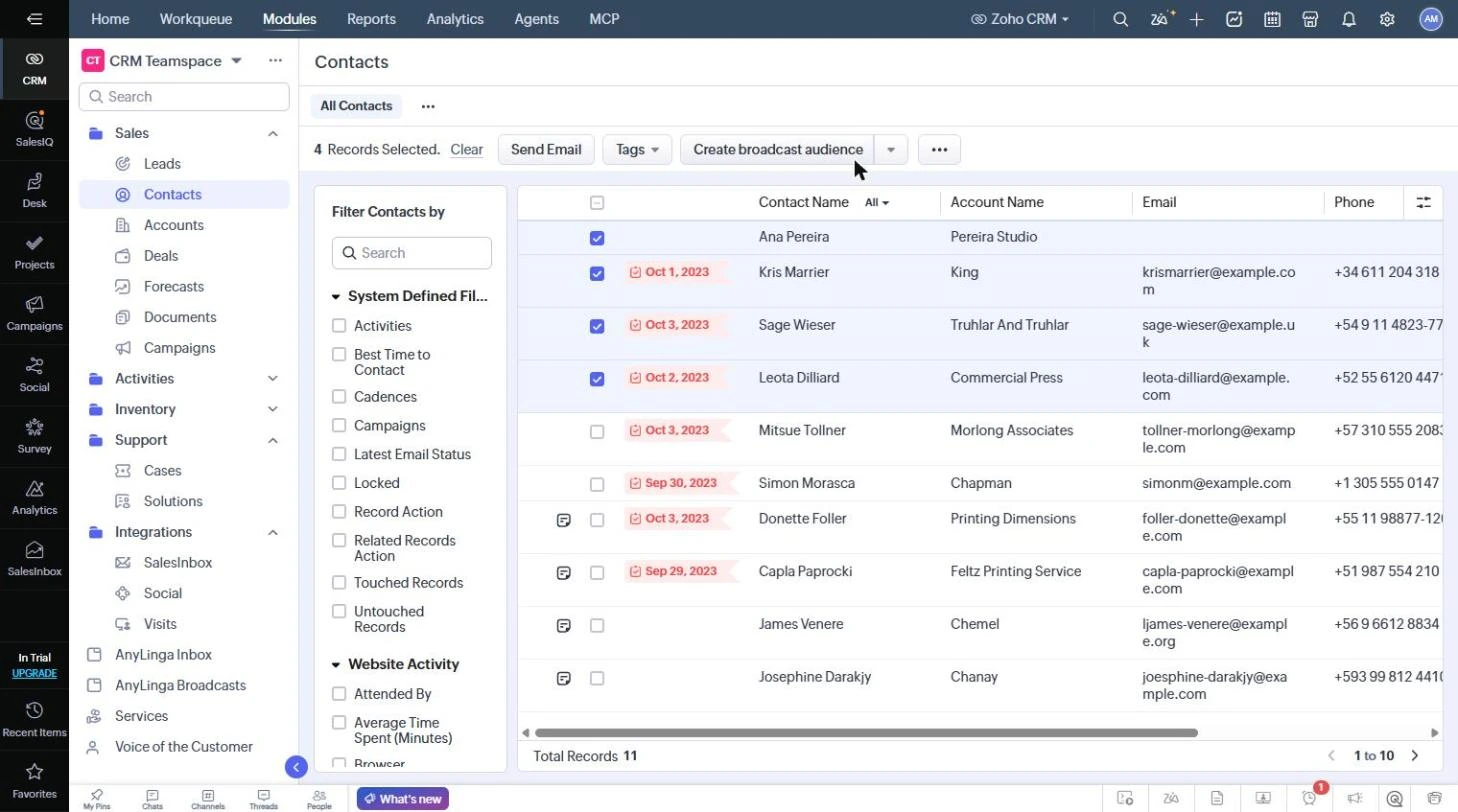
3. Review the group details
- AnyLinga will create a group named “Zoho · <number of phone numbers> · <UTC date and time>” in Audiences and open its details.
- Check the Contacts, Available for broadcasts, and Excluded in 7 days counts and the list of contacts marked Available.
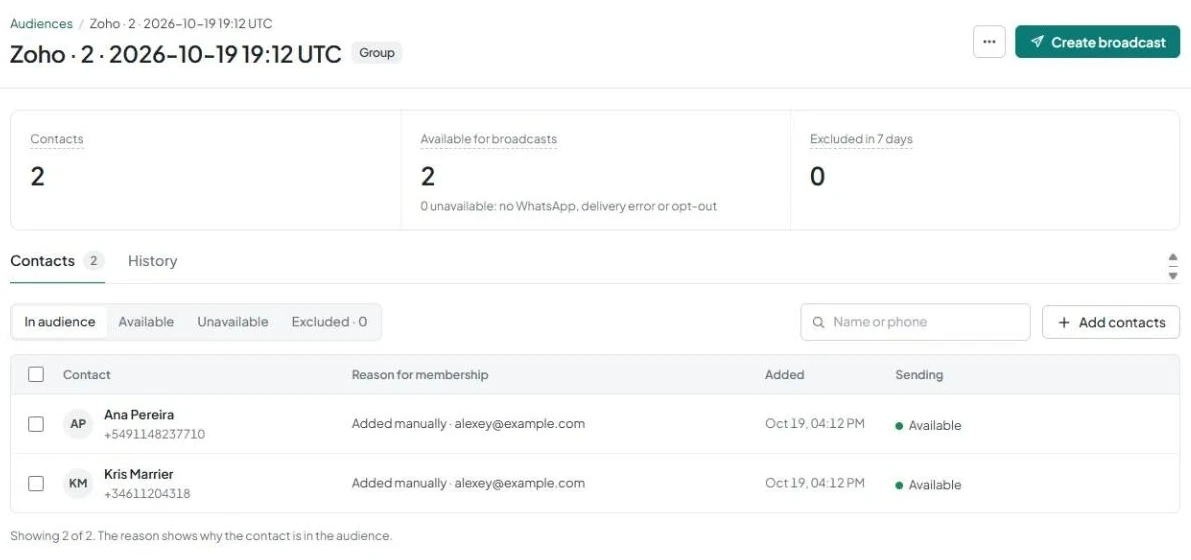
4. Go to broadcast creation
- Click Create broadcast in the group details.
Which numbers are included in the audience
The number is taken from the Mobile field, or from the Phone field if Mobile is empty. Records without a number are skipped, and duplicate numbers are removed. If you selected deals, their contacts are included in the audience.
If none of the selected records have a number, the message “The selected records have no phone numbers” appears.
Another way to build an audience is to select From Zoho CRM as the source when creating it in AnyLinga. You can select leads or contacts by owner, status, source, and tags. Status is available only for leads. If no filters are selected, all records qualify.
Related questions
automatic audience based on Zoho data, WhatsApp broadcasts from Zoho, setting up and launching a broadcast.
Get in touch
We reply during business hours.
New to AnyLinga?
Try it yourself, or we'll set it up for you when you pay for the first month.