
How to connect Zoho CRM to AnyLinga
To connect Zoho CRM to AnyLinga, open the Channels page in your AnyLinga account, turn on the toggle in the Zoho CRM row, and grant access in your Zoho account.
What you'll need
- An AnyLinga account.
- Access to your Zoho account.
- No other CRM or standalone AnyLinga Inbox connected in this AnyLinga account.
Connect Zoho CRM
1. Turn on the Zoho CRM connection
- In your AnyLinga account, open the Channels page.
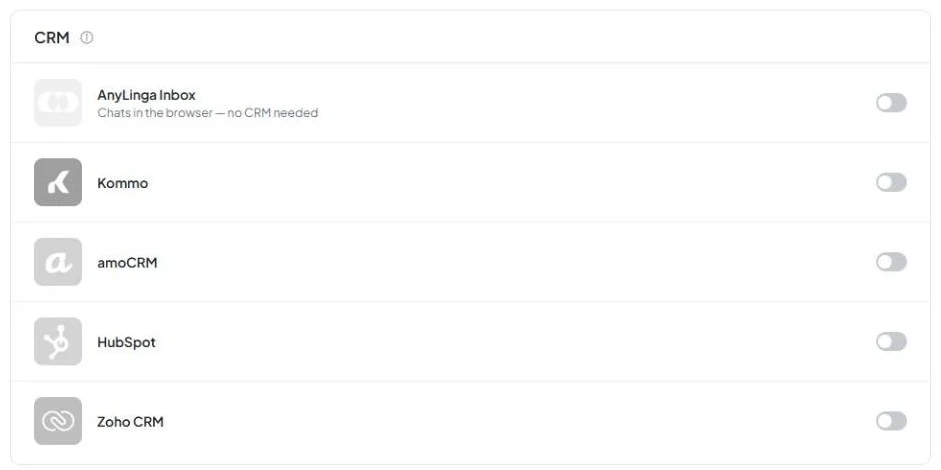
- In the CRM section, find the Zoho CRM row and turn on the toggle.
2. Grant AnyLinga access to Zoho
- Sign in to your account in the Zoho window that opens.
- On the Zoho consent screen, check the box labeled I allow AnyLinga to access the above data from my Zoho account.
- Accept the access request.
3. Check the connection in AnyLinga
- After returning to AnyLinga, check the Zoho CRM row: the toggle should be on.
- The row will show the Zoho organization ID in the format org… and the organization name.
- A link to your Zoho account will appear next to it and open the AnyLinga Inbox tab.

The gray text “N of M Zoho API credits in 24 h” shows usage of the daily Zoho API limit.
You can connect only one CRM per AnyLinga account. The Zoho CRM row is available only if no other CRM (Kommo, amoCRM, HubSpot, Bitrix24) or standalone AnyLinga Inbox is connected. If any are connected, disconnect them first.
What's next
AnyLinga Inbox connects automatically. When you use Zoho, conversations are stored in AnyLinga Inbox. You do not need to connect Inbox separately.
Next, install the AnyLinga extension in Zoho to open conversations directly in Zoho.
Then connect channels on the Channels page: WhatsApp via QR code, WhatsApp Business API, Telegram, Instagram and Facebook. The channel connection process is the same as for other CRMs.
Related questions
Where to view customer messages · Zoho API limit
Did you find this article helpful?
Get in touch
We reply during business hours.
New to AnyLinga?
Try it yourself, or we'll set it up for you when you pay for the first month.